Fix a GTA 6 problem
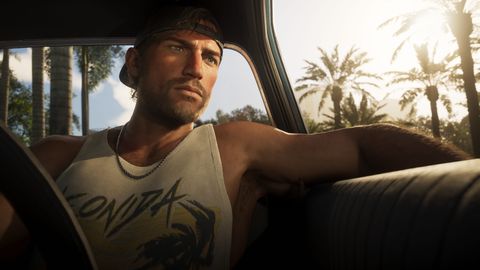
Image: Rockstar Games
Fixes for crashes, padlocks, licences, downloads and error codes on PS5 and Xbox Series X|S.
Also in Fix a problem: Patches Install and download size
- Latest update: 1.002.001 (16 Nov)Patch notes: none published.
- Free space: Up to 212 GB on PS5, 209.86 to 225.34 GB on XboxStuck downloads, storage errors and the install steps.
Find your fix
Common right now
- Padlock or cannot-start after my unlock timeRestore licences (PS5), check Order history (Xbox), finish updates, check status pages.
- GTA 6 crashed and my progress or autosave is missingLook for autosaves under Load Game, not Save Game, and save manually often.
- My PS5 says it needs a system update to playInstall the latest PS5 system update; 26.07-14.23.00 is the version named.
- My PS5 is stuck at PSN sign-in around launchCheck the PlayStation status page and wait; offline play helps if set up.
Padlock or will not start
- PS5 game will not launch or says no licenceEnable Console Sharing on the owning account, or run Restore Licences.
- Can I change my console region to play early?Not recommended: wait for your own local unlock.
- Will a jailbroken PS5 run GTA 6?Use an unmodified console on current system software; tampering risks bans.
- GTA 6 will not start on PS5 when PSN is downSet up Console Sharing and Offline Play beforehand; use Restore Licences.
- My pre-loaded game says lockedWait for your local midnight on 19 Nov, then stay online and restart.
- What time does GTA 6 unlock where I live?Convert midnight local time on 19 Nov for your country.
- Does the "recently played" profile trick work for early access?No: it was cosmetic, never unlocked the game, and the IDs were removed.
Crashes and bugs
- GTA 6 crashes or freezes on my PS5Restart, update game and system, rebuild the database, then reinstall.
- Odd bugs: wall-stuck NPCs, vanishing weapons, prologue fall-throughLeave and return, replay the checkpoint, or use rest mode.
- NPCs stuck on walls or a floating object after switching charactersLeave and return, or switch characters again.
- My PS5 crashes or freezes: what order do I try fixes in?Update system and game, restart fully, check storage and licence, then rebuild database.
- I hit a glitch: NPCs in walls, floating items or a fall through the mapRestart the game if you fall through the map.
- Items float in mid-air or the frame rate dips in busy areasLeave the busy area if the frame rate dips.
- Are there known launch bugs or crashes?Save manually often; check Rockstar Support and your platform status page.
- Is the launch really a buggy mess?A creator compared the launch to Cyberpunk 2077, but named no specific bugs.
- Are there working glitches or money exploits?Skip downloads promising exploits and keep a manual save.
Error codes
- Xbox error 0x803F8001: do you own this game?Sign in with the buying account, set your home Xbox, and retry online.
- PS5 error CE-107872-5 during installFree up space and retry; look the exact code up on PlayStation Support.
- Is that GTA 6 error code list real?Ignore error-code lists; look up the exact code on Rockstar or platform support.False
- Where can I find GTA 6 error code meanings?Quote the exact code to PlayStation, Xbox or Rockstar Support.
Saves and offline play
- How do I protect my save before reinstalling?Back up first via cloud or USB (PS5); saves live apart from game files.
- Can I use cloud saves or move my save to another console?Assume saves are platform-bound; back up with PS Plus cloud or USB on PS5.Rumor
- Can I play GTA 6 offline?Enable Console Sharing and Offline Play on PS5.
- Is my ISP throttling my game traffic?Use a wired connection and check status pages before trying a VPN.
- Is my GTA 6 save at risk of corruption?Back up before deleting or reinstalling; check Load Game for an autosave after a crash.
Boxed copies and codes
- My imported PS5 code will not redeemUse a code from your PSN account's country group, or ask the retailer.
- My boxed PS5 copy has an empty box or a claimed codeContact the retailer for a replacement or refund; keep the receipt and photos.
- My pre-order is not showing upCheck Order History on the paying account, then contact platform support.
- Can I read the code through the box?Return or exchange via the retailer; never buy replacement codes from resellers.False
- Does the boxed copy come with a disc?No disc: redeem the code (avatar > Redeem Code) and download.
Frame rate and picture
Frame rate is counted in frames per second (fps). On every console: 30 frames per second, no performance mode.
- GTA 6 runs below 30 fps on my Series SUse a variable refresh rate (VRR) display to smooth dips.
- My base PS5 drops frames in big firefightsAvoid chaotic explosions or use a 120Hz+VRR display.
- Series X drops frames and the camera feels sluggishRaise camera sensitivity and use 120Hz output with VRR.
- Is there a 60 fps or performance mode?No: Rockstar targets 30 fps; a 120Hz VRR display smooths dips.
- Is the PS5 Pro the best way to play GTA 6?Near-flawless 30fps with perfect frame pacing.
- How do I set up HDR, VRR and 120Hz?Turn on HDR and VRR in console settings and use the in-game HDR Calibration.
- How does Xbox Cloud Gaming run GTA 6?Xbox Cloud Gaming uses Series S settings.
- What does the PS5 Pro add for GTA 6?PS5 Pro adds PSSR and ray-traced shadows.
- Which audio and HDR formats does Xbox list?The Xbox product page lists HDR10, ray tracing, spatial sound, Dolby Atmos and DTS:X.
- What resolution and upscaler does GTA 6 use on each console?PS5 and Series X render 1440p and upscale to 4K with Rockstar's TAA, PS5 Pro uses PSSR, Series S renders 720p to 1080p with FSR 4.
- What accessibility options does GTA 6 have on Xbox?The Xbox menu offers subtitle and caption controls, colour adjustments, high contrast, reduced vehicle damage, accessible combat and screen narration.
- What controls, aim assist and camera settings are there on Xbox?Aim assist runs 0-4 (default 4), stick deadzones 0-10 (default 5), vertical look 0-14 (default 7).
- What display, HUD and audio options does GTA 6 have on Xbox?Motion Blur runs 3-10 (default 3), with HDR Calibration, Safe Zone, many HUD toggles, 12 languages and volume sliders.